Smart Reader · Novari Study
Keep the source in sight.
Read your document, ask a focused question, and compare the explanation with the original page.
Try Smart Reader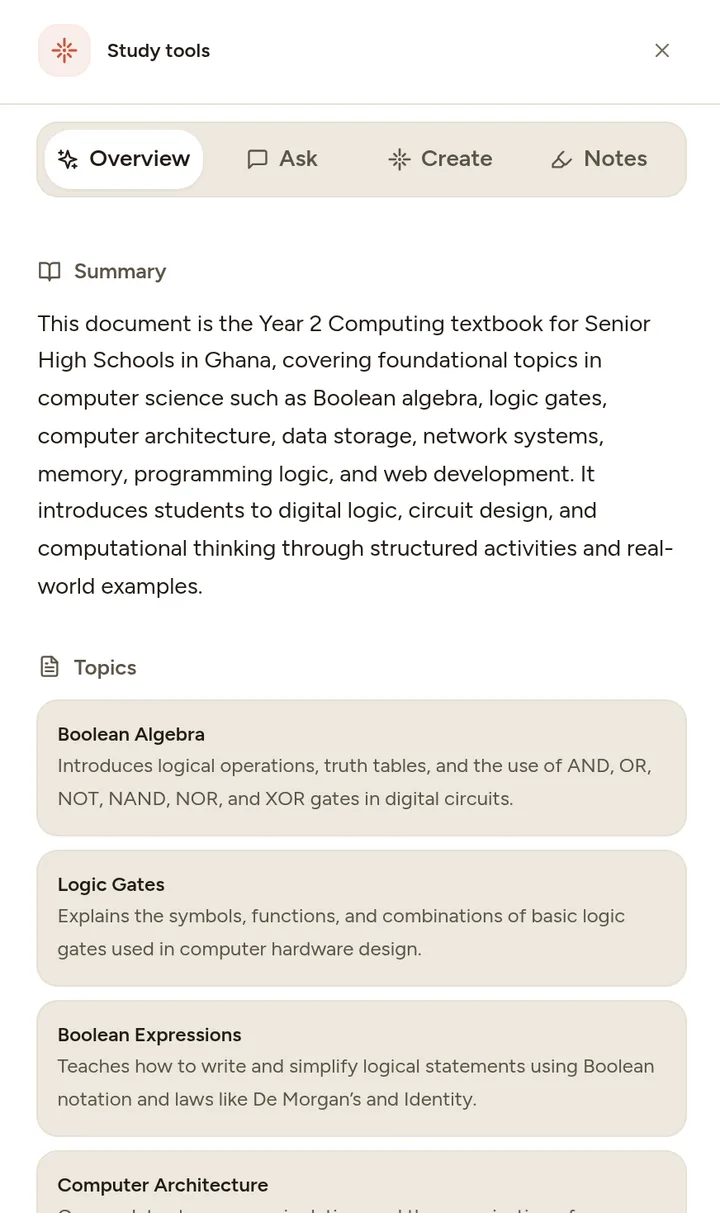
Start with the learning problem
Switching between a textbook, a chatbot and a notes window interrupts a study session. It also makes it easy to forget which passage an explanation was supposed to address.
Smart Reader brings the document and contextual study support into the same workspace. Open an uploaded document from your Library, read a section and ask about what it means. Related study tools help you move from reading to a summary, flashcards or questions.
From material to practice
How to get started
Upload and open
Add a document you are permitted to use, wait for processing and open it in the reader. Clear text produces more reliable extraction than a blurred scan.
Ask a narrow question
Refer to the specific concept you are reading. Ask for an explanation at your level, then compare it with the source.
Check understanding
Close the explanation and describe the idea yourself. Use a quiz or flashcards when you are ready to practise recall.
A practical example
A useful question beside a textbook
Instead of “explain this document”, try “What does mass per unit volume mean in this paragraph? Use the quantities from this example.” Then inspect the original units and calculation.
Make the session useful
Treat the document as evidence
If a response conflicts with the page, return to the text and ask what supports the answer. The AI explanation may be mistaken.
Give scans a second look
Tables, handwriting and mathematical notation may not extract cleanly. Compare the processed content with the page before generating study material.
One useful session starts here.
Start on Novari Starter. Signup is required; your study destination is kept through sign-in.
Try Smart Reader